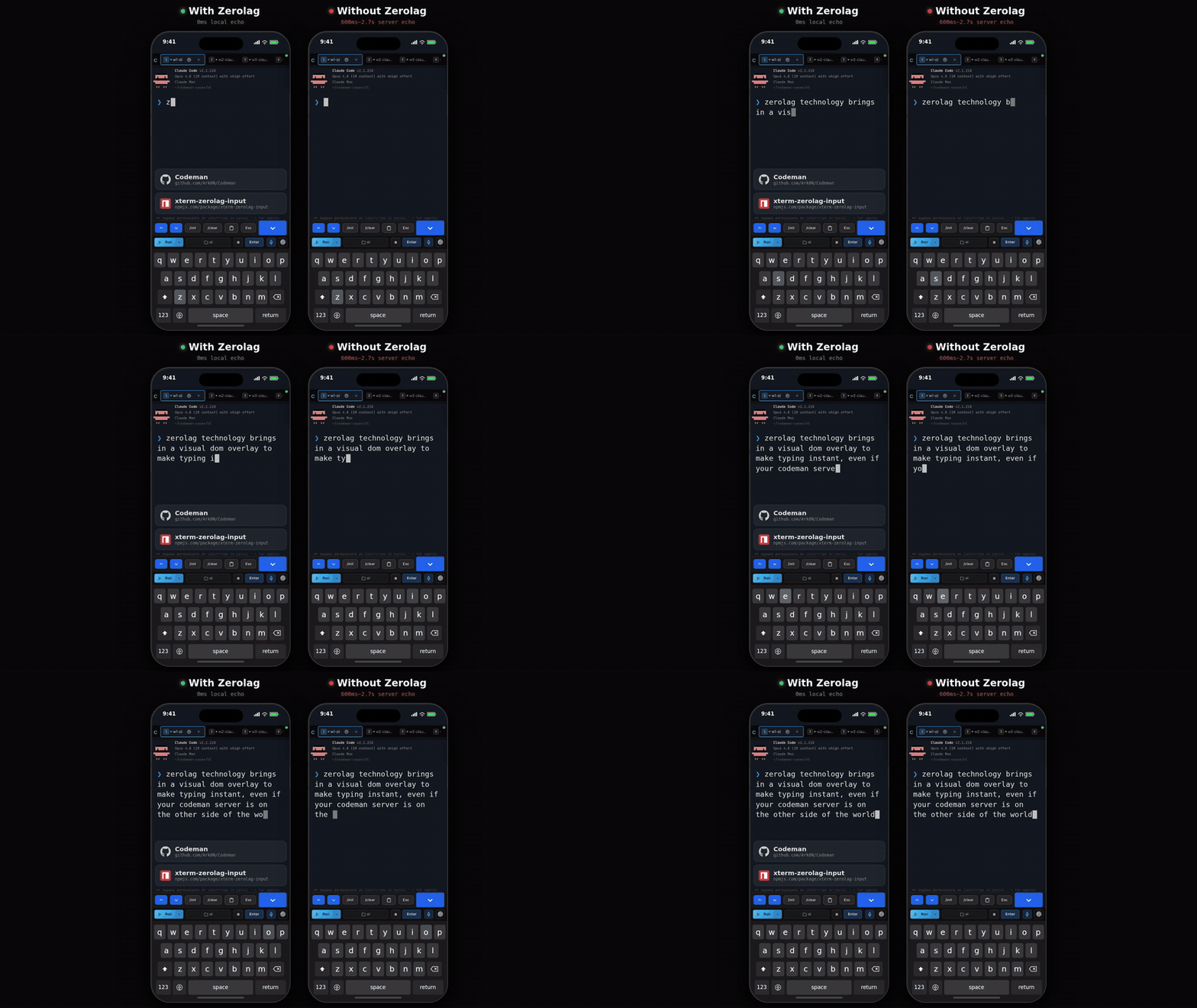
` per character**, sized to its cells and snapped to the cell grid
---
## Prompt detection
The addon needs to know where user input starts. It scans the terminal buffer bottom-up. Three strategies:
### Character (default)
```typescript
// Bash: user@host:~$
{ type: 'character', char: '$', offset: 2 }
// Zsh: user@host ~ %
{ type: 'character', char: '%', offset: 2 }
// Fish / Starship: ❯
{ type: 'character', char: '❯', offset: 2 }
// Simple arrow: >
{ type: 'character', char: '>', offset: 2 }
```
`offset` = characters between the prompt marker and where user input begins (`"$ "` = 2).
### Regex
For complex prompts. The `g` flag is stripped safely, so there is no `lastIndex` mutation.
```typescript
{ type: 'regex', pattern: /\$\s*$/, offset: 2 }
{ type: 'regex', pattern: /\(venv\)\s+\w+\s+%/, offset: 2 }
```
### Custom
Full control:
```typescript
{
type: 'custom',
offset: 0,
find: (terminal) => {
// Return { row, col } or null. Row is viewport-relative.
return { row: terminal.rows - 1, col: 0 };
},
}
```
### Switching prompts at runtime
If one terminal hosts several CLIs with different prompts, swap the strategy in place:
```typescript
zerolag.setPrompt({ type: 'character', char: '❯', offset: 2 });
```
`setPrompt()` clears the cached prompt position and re-renders if the overlay has anything to draw, so a mode switch cannot leave the overlay pinned to the old column.
---
## API reference
### `ZerolagInputAddon`
Implements the xterm.js `ITerminalAddon` interface. It deliberately does **not** hook `terminal.onData()`: you wire your own handler and call these methods, which is what gives you control over which keystrokes are echoed and which are forwarded.
### Input
| Method | Returns | Description |
|--------|---------|-------------|
| `addChar(char)` | `void` | Add a single printable character. Auto-detects existing buffer text on the first keystroke. |
| `appendText(text)` | `void` | Append multiple characters (paste). |
| `removeChar()` | `'pending'` \| `'flushed'` \| `false` | Remove the last character and drop any IME composition. See [backspace handling](#backspace-handling). |
| `clear()` | `void` | Clear all state, the composition included, and hide the overlay. Call on Enter, Ctrl+C, Escape. |
| `setComposition(text)` | `void` | Show text an IME is still composing as an underlined tail after the typed text. Pass `''` to remove it. See [IME composition](#ime-composition). |
| `setRowLimit(limit)` | `void` | Narrow the row bound the overlay keeps itself on screen with (normally `terminal.rows`) to the first `limit` screen rows, so it grows upward from the last of them; `null` restores all rows, and a limit above `terminal.rows` changes nothing. For hosts that keep the terminal taller than the box showing it, e.g. while an on-screen keyboard covers the bottom. |
### Backspace handling
`removeChar()` cascades through three layers and tells you what it removed:
| Return | Source | Your action |
|--------|--------|-------------|
| `'pending'` | Unsent text (never transmitted to the PTY) | Do nothing |
| `'flushed'` | Text already sent to the PTY | Send `\x7f` to the PTY |
| `false` | Nothing to remove | Do nothing |
The cascade order is pending text, then flushed text, then auto-detected buffer text (which is what makes backspace work after tab completion). Backspace "just works" across any combination of typed, in-flight and completed text.
### IME composition
While an input method (Japanese kana, Chinese pinyin, Korean) is still composing, the text is not committed yet, so it is not in `pendingText` either. `setComposition(text)` draws it as an underlined, `aria-hidden` tail right after the pending and flushed text, using the same wrapping and on-screen layout as the rest of the overlay.
```typescript
const textarea = terminal.textarea!;
textarea.addEventListener('compositionupdate', (e) => zerolag.setComposition(e.data));
textarea.addEventListener('compositionend', () => zerolag.setComposition(''));
// xterm then emits the committed text through onData: add it with addChar()/appendText() as usual.
```
The composition is visual only: it is never part of `pendingText`, `hasPending` or `state`, so it can never be sent. Control characters and line breaks are stripped from it. `clear()` and `removeChar()` drop it. Because `hasPending` excludes it, re-place the overlay after output or a resize with an unconditional `rerender()`, not one gated on `hasPending`.
### Flushed text
"Flushed" means sent to the PTY but the echo has not arrived yet. This happens during tab switches and tab completion.
| Method | Description |
|--------|-------------|
| `setFlushed(count, text, render?)` | Mark text as flushed. Pass `render=false` during tab-switch restore, when the buffer is not loaded yet. |
| `getFlushed()` | Returns `{ count, text }`. |
| `clearFlushed()` | Clear flushed state once the server echo arrives. |
### Buffer detection
Finds text that exists after the prompt but was never typed through the overlay.
| Method | Description |
|--------|-------------|
| `detectBufferText()` | Scan and return the detected text (or `null`), marking it flushed. Guarded: runs once per `clear()` cycle. |
| `resetBufferDetection()` | Re-enable detection. |
| `suppressBufferDetection()` | Block detection until the next `clear()`. Use for sessions that render UI framework text after the prompt. |
| `undoDetection()` | Undo the last detection: clears flushed state and re-enables detection. For tab-completion retries. |
### Rendering
| Method | Description |
|--------|-------------|
| `rerender()` | Force a re-render. Call after buffer reloads, screen redraws, resizes and reconnects. A no-op when there is nothing to draw, so it needs no guard. |
| `refreshFont()` | Re-cache font and color properties from the terminal. Call after a font size or theme change. |
### Prompt
| Method | Description |
|--------|-------------|
| `setPrompt(finder)` | Replace the prompt detection strategy at runtime. |
| `findPrompt()` | Find the prompt position. Returns `{ row, col }` or `null`. |
| `readPromptText()` | Read the text after the prompt marker. Returns a string or `null`. |
### State
| Property | Type | Description |
|----------|------|-------------|
| `pendingText` | `string` | Unacknowledged text (read-only) |
| `hasPending` | `boolean` | `true` if there is pending or flushed text. Excludes the IME composition, so it can be `false` while the overlay still shows one |
| `composition` | `string` | The text set by `setComposition()`, `''` when none (read-only) |
| `state` | `ZerolagInputState` | Full snapshot: `pendingText`, `flushedLength`, `flushedText`, `visible`, `promptPosition` |
### Options
```typescript
{
prompt?: PromptFinder, // Default: { type: 'character', char: '>', offset: 2 }
zIndex?: number, // Default: 7
backgroundColor?: string, // Default: terminal theme background ('transparent' to disable)
foregroundColor?: string, // Default: terminal theme / computed .xterm-rows style
showCursor?: boolean, // Default: true
cursorColor?: string, // Default: terminal theme cursor
scrollDebounceMs?: number, // Default: 50
}
```
---
## `PredictiveEchoAddon` (write-through prediction)
Buffering is the wrong model for TUIs that react to every keystroke: a slash
command picker filters live, arrows edit server-side state, the composer
rewraps as it grows. For those, `PredictiveEchoAddon` works like
[mosh](https://mosh.org/): the keystroke goes to the PTY **immediately and
unchanged**, and the addon simultaneously paints the predicted glyph at the
predicted cell. When the real echo lands, the prediction is confirmed and its
span removed: an invisible swap, identical glyph beneath. Mispredictions
self-heal via a mismatch cascade and a TTL. It is visual-only by construction:
nothing it does can gate, delay, reorder or rewrite what you send.
```typescript
import { Terminal } from '@xterm/xterm';
import { PredictiveEchoAddon } from 'xterm-zerolag-input';
const terminal = new Terminal();
const predictor = new PredictiveEchoAddon({
// Optional: only predict when the cursor sits on a composer row
predictWhen: (t) => {
const buf = t.buffer.active;
const line = buf.getLine(buf.baseY + buf.cursorY);
return !!line && /^› /.test(line.translateToString(true));
},
});
terminal.loadAddon(predictor);
terminal.onData((data) => {
const cps = Array.from(data);
if (cps.length === 1) {
const cp = cps[0].codePointAt(0);
if (cp === 0x7f) predictor.predictBackspace();
else if (cp >= 0x20) predictor.predictChar(data);
else predictor.clearPredictions(); // Enter, Ctrl+C, ...
} else if (data.charCodeAt(0) === 0x1b) {
predictor.clearPredictions(); // nav keys, bracketed paste
}
pty.write(data); // ALWAYS, unconditionally
});
```
### How reconciliation works
Predictions are reconciled against the **parsed terminal buffer** (cells after
xterm's parser ran), never the raw output stream. That distinction is
load-bearing: TUIs redraw whole lines, paint gaps with `ECH` + cursor-forward
instead of spaces, and multiplexers like tmux rewrite everything into minimal
deltas. Stream matching breaks on all of that; buffer cells converge to the
same values no matter how the bytes arrived.
A prediction is **confirmed** only when its cell shows the predicted glyph AND
the cursor has advanced past it (so a placeholder that happens to match, or an
identical in-place repaint, never false-confirms). A cell showing foreign
non-blank content on two consecutive passes drops that prediction and all
later ones (one pass tolerates half-parsed frames). Blank cells are neutral:
they are what "not yet echoed" looks like. Whatever remains is dropped by TTL.
Scrolling up, resizing, or a sustained cursor move clears the run. After a
backspace into already-echoed text, a cleared input, or a multi-char commit,
the addon **holds** new predictions until the next parsed write: the displayed
cursor is stale for one round trip, and anchoring on it would paint ghosts one
cell off (worst case: exactly one unpredicted keystroke, whose own echo
releases the hold).
### API
```typescript
predictChar(ch: string): boolean; // false = suppressed (still SEND the key)
predictBackspace(): boolean; // pops the newest prediction (still send \x7f)
clearPredictions(): void;
reconcile(): void; // manual pass (no onWriteParsed available)
setPredictWhen(fn | null): void; // swap the gate at runtime
refreshFont(): void; // after font/theme changes
get hasPredictions(): boolean;
get state(): PredictionState; // { outstanding, confirmedTotal, droppedTotal, anchor }
```
### Options
```typescript
{
zIndex?: number, // Default: 7
underlinePredictions?: boolean, // Default: false (underline unconfirmed glyphs)
foregroundColor?: string, // Default: terminal theme / computed .xterm-rows style
backgroundColor?: string, // Default: terminal theme background
ttlMs?: number, // Default: 1000
maxPending?: number, // Default: 32
cursorGraceMs?: number, // Default: 150
edgeMarginCells?: number, // Default: 4 (suppress near the right edge)
predictWhen?: (t) => boolean, // Default: predict everywhere
}
```
### Which addon should I use?
- The remote program shows a **line prompt** and ignores partial input:
`ZerolagInputAddon`. You also get backspace-before-send and batching.
- The remote program **reacts per keystroke** (pickers, filters, composers
that rewrap): `PredictiveEchoAddon`. It never withholds bytes, so the TUI
behaves exactly as with no addon at all; you just stop waiting for the RTT.
- Both can be loaded on one terminal and toggled per session mode; that is
exactly what Codeman does (buffer for Claude Code, predict for Codex).
---
## Integration patterns
### Buffered input (hold until Enter)
The quick start above. Characters accumulate in the overlay and go out on Enter. Best for remote shells where you want to batch input.
### Char-at-a-time (send immediately)
```typescript
terminal.onData((data) => {
if (data === '\r') {
zerolag.clear();
ws.send('\r');
} else if (data === '\x7f') {
zerolag.removeChar();
ws.send(data);
} else if (data.length === 1 && data.charCodeAt(0) >= 32) {
zerolag.addChar(data);
ws.send(data); // overlay shows the char while the echo travels back
}
});
```
This is the mode that keeps shell features intact: tab completion, `Ctrl+R` history search, and readline bindings all still work, because every byte still reaches the PTY.
### Tab switching (multi-session)
```typescript
function switchToSession(newId: string) {
// Save
const pending = zerolag.pendingText;
const { count, text } = zerolag.getFlushed();
if (pending) sendToPty(currentId, pending);
savedState.set(currentId, { count: count + pending.length, text: text + pending });
zerolag.clear();
// Load new buffer...
loadBuffer(newId);
// Restore
zerolag.suppressBufferDetection();
const saved = savedState.get(newId);
if (saved) zerolag.setFlushed(saved.count, saved.text, false); // silent
// Render after the buffer loads
terminal.write('', () => zerolag.rerender());
}
```
### Tab completion
```typescript
const baseline = zerolag.readPromptText();
zerolag.clear();
sendToPty('\t');
// After the response:
zerolag.resetBufferDetection();
const detected = zerolag.detectBufferText();
if (detected && detected !== baseline) {
zerolag.rerender(); // completion happened
} else if (detected) {
zerolag.undoDetection(); // same text, retry next cycle
}
```
### Resize, font, reconnect
```typescript
fitAddon.fit();
zerolag.rerender();
terminal.options.fontSize = 18;
zerolag.refreshFont();
function onReconnect() {
zerolag.rerender();
}
```
### Wide characters (CJK, emoji)
Wide characters work out of the box: the overlay measures each character's cell width, renders double-width spans for wide ones, and positions later characters by visual column instead of character index. Line wrapping is computed in columns too, so a wrapped Japanese or Chinese line lands on the same cells the server will use.
For exact Unicode 11+ widths, load xterm's Unicode addon and the overlay will defer to it:
```typescript
import { Unicode11Addon } from '@xterm/addon-unicode11';
terminal.loadAddon(new Unicode11Addon());
terminal.unicode.activeVersion = '11';
```
Without it, a built-in range table covers Hangul, Kana, CJK Unified (including Ext A through G), fullwidth forms and the emoji planes.
---
## How it works
### DOM structure
```
div.xterm-screen (position: relative)
├── div.xterm-rows (z-index: auto) ← terminal owns this
├── div.xterm-selection (z-index: 1)
├── div.xterm-helpers (z-index: 5)
├── div.xterm-decoration-container (z-index: 6-7)
└── div[zerolag overlay] (z-index: 7) ← our overlay, invisible to Ink
```
### Per-character grid alignment
Each line is an absolutely-positioned `` at its row, and each character is a `` in a flex row inside it, as wide as the cells it covers:
```
line top = lineIndex * cellHeight (CSS pixels)
edge(col) = round(col * cellWidth * 4) / 4 (snapped to a quarter pixel)
span width = edge(col + charCellWidth) - edge(col) (1 cell, or 2 for wide characters)
```
A span starts where the widths before it add up to. Normal DOM text drifts because glyph advances that the layout engine cannot store exactly carry their rounding into every later cell. A quarter pixel is stored exactly by Blink and WebKit (1/64 px layout units) and Gecko (1/60 px app units), so the snapped widths always add up to the snapped edge: no drift at any column, and every edge stays within 1/8 px of `col * cellWidth`.
The spans are deliberately not absolutely positioned. A positioned element gets its own paint layer, and with one per character the browser had to re-layerize and repaint thousands of them on every keystroke of a long prompt. The font, colour, line height, centring and ligature settings are set once per line and inherited.
### Rendering cost
Each render compares every line with what the previous render left in the overlay and rebuilds only the lines whose text or position changed. Typing a character changes only the last line, so a keystroke costs one line of DOM work, layout and paint, however long the prompt. A font, colour, cell size or Unicode version change rebuilds everything, and so does anything else emptying the overlay element.
Measured in headless Chromium with a 6x CPU slowdown standing in for a phone, typing into a prompt of about 4,100 characters: 0.4.x took a median 813 ms per frame (513 ms of script, style and layout per keystroke), this version 17 ms (8.6 ms). At about 300 characters, 0.4.x already missed 60 fps (54 ms frames).
### Font matching
1. `fontFamily`, `fontSize`, `fontWeight` from `terminal.options`
2. `letterSpacing` from the computed style of `.xterm-rows`
3. `-webkit-font-smoothing: antialiased` (matches canvas grayscale AA)
4. `font-feature-settings: 'liga' 0, 'calt' 0` (no ligatures)
5. `text-rendering: geometricPrecision`
### Cell dimensions
- **xterm.js v5.x**: `terminal._core._renderService.dimensions.css.cell` (private API)
- **xterm.js v7+**: `terminal.dimensions.css.cell` (public API, auto-detected)
### Prompt column locking
While flushed text exists the prompt column is locked, so a full-screen redraw cannot make the overlay jitter sideways. Row changes are still allowed, because output legitimately scrolls the prompt.
### Scroll awareness
The overlay hides while the cursor row is scrolled out of the viewport and re-renders, debounced, when it scrolls back into view. A viewport parked a few rows above the bottom keeps painting as long as the cursor row is on screen. A buffer that reports no `cursorY` keeps the bottom-only rule.
---
## Known limitations
- **Canvas and WebGL font mismatch**: minor sub-pixel differences are still possible. Per-character cells snapped to a quarter pixel keep them under 1/8 px.
- **Grapheme clusters**: widths are summed per code point, so ZWJ emoji sequences (for example 👨👩👧) and combining marks can be over-counted. Single-code-point emoji and CJK are correct.
- **Password prompts**: the overlay will happily show characters the server is not echoing. Call `clear()` when you detect a no-echo prompt.
- **Prompt characters in output**: if your prompt marker also appears in command output, detection can latch onto the wrong line. Use a regex or a custom finder.
---
## Origin
[Codeman](https://getcodeman.com) needed this before anyone else did. A coding agent you drive from your phone over a tunnel is unusable if every keystroke costs a round trip.
So the overlay was built there, ran in production for thousands of hours, and survived three deep code audits before being pulled out into this standalone library with its tests intact. Nothing was reimplemented for the extraction: the engine here is the one Codeman ships.
Want the whole thing? [**getcodeman.com**](https://getcodeman.com) · [github.com/Ark0N/Codeman](https://github.com/Ark0N/Codeman)
## License
MIT, [Codeman](https://github.com/Ark0N/Codeman) Contributors